C++ tutorial, C++ programs, C++ Exercises, C++ Example Programs

Wednesday, July 24, 2013

Learn Algorithm Writing, Flowcharting By Example

Algorithm 1: ADDITION
  This algorithm inputs two numbers then calculates and shows addition result of these two numbers. This algorithm uses three variables N1, N2, and ADDITION.

1. Start
2. Input N1, N2
3. Calculate ADDITION = N1 + N2
4. Display ADDITION
5. End


Algorithm 2: AGE CONVERSION
                                 This algorithm inputs age in years, converts it into dayas and shows result. This algorithm uses two variables YEARS and DAYS.

1. Start
2. Input YEARS
3. Calculate DAYS = YEARS x 365
4. Display DAYS
5. End


Algorithm 3: TEMPERATURE CONVERSION
                                 This algorithm inputs temperature  in Fahrenheit, converts it into Centigrade and shows result. This algorithm uses two variables F and C.

1. Start
2. Input F
3. Calculate C = 5/9 x (F-32)
4. Display C
5. End


Algorithm 4: PAY CALCULATOR
                                 This algorithm inputs name and basic pay of an employee, calculates and shows Net Pay. Where House Rent= 40% of basic pay, Medical Allowance 30%, Deduction = 5%.This algorithm uses 6 variables NAME, BASIC, NETPAY, HR, MA and DF.

1. Start
2. Input NAME, BASIC
3. Calculate HR = BASIC x 40/100
4. Calculate MA = BASIC x 30/100
5. Calculate D = BASIC x 5/100 
6. Calculate NETPAY = BASIC + HR + MA - D
7. Display NAME, NETPAY
8. End


Share:

Saturday, February 2, 2013

Example Algorithms for C Plus Plus Programming

Today we will practice How to write some basic algorithms for simple C Plus Plus programs:


Algorithm 1: ADDITION
                                 This algorithm inputs two numbers then calculates and shows addition result of these two numbers. This algorithm uses three variables N1, N2, and ADDITION.

1. Start
2. Input N1, N2
3. Calculate ADDITION = N1 + N2
4. Display ADDITION
5. End

Algorithm 2: AGE CONVERSION
                                 This algorithm inputs age in years, converts it into dayas and shows result. This algorithm uses two variables YEARS and DAYS.

1. Start
2. Input YEARS
3. Calculate DAYS = YEARS x 365
4. Display DAYS
5. End


Algorithm 3: TEMPERATURE CONVERSION
                                 This algorithm inputs temperature  in Fahrenheit, converts it into Centigrade and shows result. This algorithm uses two variables F and C.

1. Start
2. Input F
3. Calculate C = 5/9 x (F-32)
4. Display C
5. End


Algorithm 4: PAY CALCULATOR
                                 This algorithm inputs name and basic pay of an employee, calculates and shows Net Pay. Where House Rent= 40% of basic pay, Medical Allowance 30%, Deduction = 5%.This algorithm uses 6 variables NAME, BASIC, NETPAY, HR, MA and DF.

1. Start
2. Input NAME, BASIC
3. Calculate HR = BASIC x 40/100
4. Calculate MA = BASIC x 30/100
5. Calculate D = BASIC x 5/100
6. Calculate NETPAY = BASIC + HR + MA - D
7. Display NAME, NETPAY
8. End

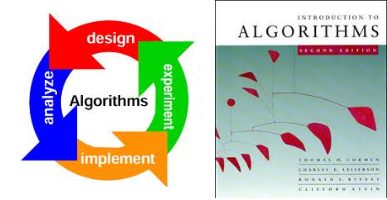
  Flowcharts of the above mentioned algorithms :
Share:

Monday, October 8, 2012

Constants in C Plus Plus Programs

Constant may be defined as a quantity used in a program that cannot be changed during program execution. There are two types of constants in C++ programming language.
  1. Literal Constants
  2. Symbolic Constants
types of constants in C++

1. Literal Constants

A literal constant is a value that is directly typed in a program. For example 100 or 10.50 are examples of literal constants. Literal constants can be further divided into the following categories according to the type of value:
  1. Integer Constant: positive or negative whole numbers like 100, 999, 2, 5056, 10, -233, -50 are called integer constants.
  2. Real Constants: numeric values with fractional parts like 2.45, 999.99, -5.25, -6.023 etc are called Real constants or floating point constants.
  3. Character Constants: a single character in single quotes like 'a', 'p' or '=' are called Character constants.
  4. String Constants: a set of characters in double quotations like "Enter a number" or "Asad" is called a string constant.

2. Symbolic Constants

A symbolic constant may be defined as a name given to a constant quantity in a program. A symbolic constant can be useful to make a program more readable and easier to understand. A symbolic constant is defined for a constant literal value that is frequently used in a program. For example, in a mathematical program we can use PI as symbolic constant instead of the value 3.1415.

How To Declare a Symbolic Constant?

A symbolic constant can be defined in a C++ program, in two ways:
1. const Qualifier
const qualifier is used to define a constant in C++ programs. The syntax is as under:
 const datatype identifier = value
For example, to define PI, we will use the following C++ statement
const float PI=3.1415;

Example C Plus Plus Program Const Qualifier

/*
1. Symbolic Constants in C++
2. Use of const qualifier
Program to input radius and calculate
circumference of circle by formula=2xpixr
By: Mahmood Alam, Instructor(IT)
Govt. Post Graduate College of Commerce,
Rahim Yar Khan
*/
#include<iostream.h>
#include <stdio.h>
#include <conio.h>


int main()
{
float radius, circum;
const float PI=3.1415;
cout<<"Enter radius=";
cin>>radius;
circum = 2 * PI * radius;
cout<<"circumference="<<circum;
getch();
return 0;
}
2. define DIRECTIVE
define preprocessor directive is also to define a constant in a C++ program. The syntax to define a symbolic constant PI with define directive is as follows:
 #define identifier  value
For example to define a symbolic constant PI with define directive, we will type:
#define PI 3.1415

Example C Plus Plus Program #define Directive

/*
1. Symbolic Constants in C++
2. Use of #define directive
Program to input radius and calculate
circumference of circle by formula=2xpixr
By: Mahmood Alam, Instructor(IT)
Govt. Post Graduate College of Commerce,
Rahim Yar Khan
*/
#include<iostream.h>
#include <stdio.h>
#include <conio.h>
#define PI 3.1415

int main()
{
float radius, circum;
cout<<"Enter radius=";
cin>>radius;
circum = 2 * PI * radius;
cout<<"circumference="<<circum;
return 0;
}

The Difference between defining a symbolic constant by const qualifier or #define directive is:
Sr.No. const qualifier #define directive
1 Here we need to define data type of constant here we do not need to define data type of constant
2 = symbols is used = symbol is not needed
3 This statement is terminated by semi colon. No semi colon at end
Share:

Basic C Plus Plus Data Types

Data Type specifies what type of data will be stored in a variable and what type of operations can be performed on it. So, the data type of a variable my be defined as the set of values and operations on these values. For example, if we want to use whole numbers data in our C++ program, we will use int data type variables. int stands for integer data type. int data type has
  1. a set of values   -32768 to +32767
  2. and predefined operations on these values like +(addition), - (subtraction), *(mutplication) and / (division) etc.
Therefore, it is clear from the above, that we can store a whole number from -32768 to 32767 in an integer variable. Moreover, we can use addition, subtraction, multiplication and division operations on integer variables.
Basic data Types in C++
There are the following data types in C++.
  1. integer data types ( int, short int, long int, unsigned int, unsigned long int)
  2. real data types (float, double, long double)
  3. char

1. Integer Data Types

Integer data types deal with whole numbers. We will define integer variables to store and operate whole numbers. Integer data type is used to define integer variables. integer variables can hold whole numbers that is numbers without fractions or decimal point. For example 100, 8, 991, -2, 786 and 32400 are whole numbers. These whole numbers will range from -32768 to 32767.
Now we can divide integer data types in to some categories according to the memory space they take and the range of whole numbers they can deal with.
  •     int data type
int data type deal with whole numbers. in MS-DOS, a variable of int data type takes two bytes in memory. It can store values between the range -32768 to +32767.
  •     short int data type
short int data type can store whole numbers from -32768 to +32767. A variable of short int data type will take two bytes in memory.
  •     long int data type
long int data type is used to store large whole numbers. It takes four bytes in memory. Its range is from -2,147,483,648 to 2,147,483,647.
  •  unsigned int data type  
It is used to store only positive whole numbers from 0 to 65,535. Its variable takes two bytes in memory.
  •  unsigned long int data type  
It is used to store only positive whole numbers from 0 to 4,294,967,295. Its variable takes four bytes in memory.

2. Real Data Types

Real data types deal with real numbers, that is, numbers with factional parts or decimal points like 4.50, -90.20, 2.49 and 999.99 etc.
  • float data type
float data type deals with real numbers. A variable of float data type will hold four bytes in memory. It can store real values from 3.4x10-38 to 3.4x10+38. A float variable can store real numbers with accuracy of 6 decimal places.
  • double data type
double data type deals with large real numbers. A variable of double data type will hold eight bytes in memory. It can store real values from 1.7x10-308 to 1.7x10+308. Moreover, a double variable can store real numbers with accuracy up to 15 decimal places.
  • long double data type
double data type deals with very large real numbers. A variable of long double data type will hold ten bytes in memory. It can store real values from 1.7x10-4932 to 1.7x10+4932. Moreover, a long double variable can store real numbers with accuracy up to 19 decimal places.

3. Character Data Type

char data type is used to store a single character value. It can store a letter A-Z or a-z, a number 0-9 and some special characters or symbols. A character variable (variable of char data type) takes one byte in memory. It can store a single character. Character value is enclosed in single quotes like 'a' or 't' or '#' etc.
Share:

Thursday, April 12, 2012

Variable Declaration in C Plus Plus

Variable declaration means to tell the C++ compiler about variable name and its data type.


The syntax of variable declaration in C++ is as follows:

General Syntax of Variable Declaration

DataType   List-of-Variables-separated-by-commas;

Examples of variable declaration

  • int RollNo, Marks;
  • In above example we have declared two integer variables. The names of variables are RollNo and Marks. Type of variables is integer. Integer data type variables can hold whole numbers like 100, 5 or -8. There will be no fractional part.
  • float percentage, average, installment;
  • In above example we have declared three variables of float data type. float data type variables can store numbers with decimal or fraction.
Share:

Naming Rules For C++ Variables

What is a Variable Name


As we have come to know in a previous post on C++ Variables, that a Variable is a named memory location to store some program data temporarily. "Named Memory Location" tells us that every variable in C++ has a variable name to refer the data stored in it.

Naming Rules To Write C++ variable Names

If we use a variable in a C++ program, we will declare this variable. To declare a C++ variable we will have to use a distinct name for each and every variable. We have to obey the following naming rules to write variable names in C++ programming.

    Start With Alphabets or Underscore

  1. The variable name will start with an alphabet or an Underscore.
  2. No Blank Space

  3. There should be no blank spaces in a variable name.
  4. No Special Characters

  5. Special characters like +, *, &, ^, % cannot be used in variable names.
  6. No Reserved / Keywords

  7. Reserved Words or Keywords cannot be used as variable names. Reserved words or keywords are the words used in C++ language for specific purpose. For example, int or for or while are reserved words in C language and C++ programming language, so programmers are not allowed to use these words as variable names in a program.
  8. Up to 31 characters long

  9. Although the maximum length of a variable name is compiler dependent in C++, several C++ compilers allow up to 31 characters long variable names. If anyone uses more than 31 characters for a variable name, extra characters are ignored by the C++ compiler.
  10. Short and Precise

  11. Variable names should be short and precise. Don't use abbreviations that may not self explanatory. Use abbreviations like RollNo in spite of RNo or RN or R or Roll. Abbreviations should be meaningful that may express the purpose of the use of a variable, clearly. 
  12. Naming Conventions

  13. Use uniform naming conventions in your program. For example: Use of RollNumb as a variable name states that the programmer will use first 4 characters for each word in a variable name. Secondly, each word in a variable name will be capital letter. If you follow uniform naming conventions for variables, writing, changing and maintaining your programs will be much easier. In addition, other programmers will find it easy to understand your programs.
  14. Unique Names

  15. Variable names must be unique in a program. A variable name can be used only for one data type. 
  16. Meaningful Names

  17. Use meaningful names that can explain the purpose of using the variable and type of data it can hold. 

Variables in C++
1 Explain
Variables in Programming C++
2 Naming
Rules For C++ Variables
Share:

Tuesday, April 10, 2012

Explain Variables in Programming C++

Variables


Variable may be defined as a named memory location to store program data temporarily during the execution of the program. So, a variable can be used to store name of a student or pay of an employee etc. in a C++ program or in any other programming language.
We can store data in a variable and can change the data or value contained in the variable time to time during program execution. We can access a variable with its name. Therefore, whenever we need value of the variable we will use the variable name for reference.


If we want to change the value of a variable, we will assign the new value to it. Now the variable will lost the old value and the new value will be placed in the memory location of that variable.

how many values a variable can have?

An atomic variable can have only one value at a time. No doubt, its value or contents can be changes time to time during program execution, but it will have only one value at a time.

Variables and Data Types

Variables can be of different data types according to the data they are going to store. For example, integer data type is used to declare such variables that can hold numeric data in whole numbers. Float data type will be used to declare variable to hold numbers with fractional parts.

Where Are Variables Created?

Variables are created in computer memory called RAM - Random Access Memory. There are different types of variables. Each data type variable can take some bytes of memory to store a particular value. For example, a variable of integer data type will take two bytes of memory in RAM.

Variables in C++
1 Explain
Variables in Programming C++
2 Naming
Rules For C++ Variables
Share:

Friday, April 6, 2012

Program Age Years To Days Convert

Today, we will discuss the logic of a simple C++ Program to input age in Years and Convert into Days. This is a simple C++ logic program. Simply we will multiply the years entered by user by 365 to convert years into  days.

a) Program Requirements: Input your age in years, convert it into days and show the result.

Let's write down an algorithm first

b) Algorithm: Convert-Years-To-Days

  1. Start 
  2. Input Your age in years 
  3. Calculate days = years X 365 
  4. Output "Your age in days=" , days 
  5. Stop


    c). Flow Chart: Convert Years Into Days


    d.) Picture of C++ Program Years to days conversion from Turbo C++ 3.0 IDE


    C++ Program Convert your Age from Years to days conversion


    e). Program coding.


    #include <iostream.h>
    #include <conio.h>
    void main()
    {
        // Declare two integer variables(for whole numbers)
        int years, days;
       // clear output screan and display message to user for input
        clrscr();
        cout<<"\n Enter Your Age in Years=";
        // get input from user
        cin>>years;
        //calculate days
        days = years * 365;
        //display output message to user showing age in days
        cout<<"\n Your age in days="<<days;
        // make output screen stay as long as a character key is pressed
        getch();
    }

    f).Program sample run output: 

    C++ Program Convert your Age from Years to days conversion 


    Enter Your Age in Years=17
    Your age in days=6205
    Share:

    Friday, November 4, 2011

    Program Temperature Conversion Algorithm Flowchart

    Q: Write a C++ program To Convert Fahrenheit Temperature into Centigrade

    Today, we will discuss a Program Temperature Conversion Algorithm Flowchart. This is a Three in One package for new C++ programmers for learning How To Program in C++. Let us see the algorithm first:


    Algorithm: Temperature Conversion


    This algorithm inputs a temperature in Fahrenheit and converts into centigrade.

    1. Start
    2. Input Temperature in Fahrenheit in F variable.
    3. Calculate Centigrade C = (F-32) x 5.0 / 9.0   
    4. Show temperature in centigrade
    5. Stop


    Picture of Temperature Conversion C++ Program With Sample Run Output

    Image: Program Temperature Conversion Algorithm Flowchart

    Program Temperature Conversion Algorithm Flowchart (Program code)

    Flowchart of C++ Temperature Conversion Program

    Image: ( Flow chart )Program Temperature Conversion Algorithm Flowchart

    ( Flow chart ) Program Temperature Conversion Algorithm Flowchart

    Source code for DevC++ IDE/ C++ Compiler

    #include<iostream> 
    
    using namespace std;
    
    int main()
    
    {   
    
    float c,f;
    
    cout<< "Enter Temperature in F:";
    cin>>f;
    c=(f-32)*5.0/9.0;
    
    cout<<"Temperature in centigrade="<<c;
    return 0;
    } 
    

    Output

    Enter Temperature in F:98.6
    Temperature in centigrade=37
    --------------------------------
    Process exited after 16.38 seconds with return value 0
    Press any key to continue . . .
    

    C++ Source code Program Temperature Conversion

    Sponsored Links


    // include iostream.h header file

    #include<iostream.h> 

    // start of main function

    int main()

    {       // start of main function body
            // declare 2 float variables c and f

    float c,f;

    //show message to user to enter temperature in F
    cout<< "Enter Temperature in F:";

    //input temperature in F
    cin>>f;

    //calculate temperature in centi grade
    c=(f-32)*5.0/9.0;

    //show answer in centigrade
    cout<<"Temperature in centigrade="<<c;

    // return 0 - successful execution

    return 0;
    }     // end of main function body


    So, beginners in C++ Programming, we have discussed how to design an algorithm, flow chart and write actual program code. Dear learners of C++, this is the end of this C++ tutorial on Program Temperature Conversion Algorithm Flowchart.

    Simple Temperature Conversion program without comments C++ on Easyway C++

     //Turbo C++ 3.0 IDE Easyway C++ Programs
    #include<iostream.h>
    #include<conio.h>
    void main()
    {

    float c,f;

    cout<< "Enter Temperature in F:";

    cin>>f;

    c=(f-32)*5.0/9.0;

    cout<<"Temperature in centigrade="<<c;

    getche();
    }


    program-temperature-conversion-algorithm-flowchart-C-Plus-plus


    Further Suggested Readings: After Download Free Turbo C++ Ver 3.0 IDE!

    Basic Structure of a C++ Program

    C++ Program Development Cycle

    How To Write, Compile and Run Your First C++ Program

    How To Start Turbo C++ IDE

    How To Install Turbo C++ 3.0 - IDE

    Features of C++ Programming Language

    Brief History of C++

    Flowcharts in Computer Programming

    The Role of Algorithms in Programming

    How To Start Computer Programming

    What is a Computer Program

    - See more at: http://easycppprogramming.blogspot.com
     < /b>

    Share:

    Program Average Algorithm and Flowchart

    Q: Write a program to input three numbers, and calculate and show their average

    Today, we will discuss a simple C++ program that inputs three numbers and calculates and shows average of these numbers.

    Algorithm: Average

    Calculates average of three numbers.

    1. Start
    2. Include iostream.h [Note: this step is only for C++].
    3. Declare 5 float variables n1,n2,n3, total and avergae.
    4. Display a message (prompt) on screen "Enter First Number:"
    5. Input n1.
    6. Display a message (prompt) on screen "Enter Second Number:"
    7. Input n2.
    7. Display a message (prompt) on screen "Enter Third Number:"
    8. Input n3.
    9. Calculate total= n1 + n2 + n3
    10. Calculate average = total / 3
    11. Show a message "Average=" and value stored in average variable.
    12. Stop


    C++ Program To Calculate Average of Three Numbers Input by User at Run time
    C++ Program To Calculate Average of Three Numbers Input by User at Run time

    Simple C++ Program To Calculate Average of Three Numbers With Algorithm and Flow chart
    Simple C++ Program To Calculate Average of Three Numbers With Algorithm and Flow chart 

    Source code for Dev C++ & other Modern C++ Compilers / IDEs

    #include<iostream>
    using namespace std;
    int main()
    
    {
    
    float n1,n2,n3,total,average;
    cout << "Enter First Number:";
    cin>>n1;
    cout<<"Enter Second Number:";
    cin>>n2;
    cout<<"Enter Third Number:";
    cin>>n3;
    
    total=n1+n2+n3;
    average=total/3;
    
    cout<<"average="<<average;
    return 0;
    
    }
    

    A Sample Output of Program

    Enter First Number:10
    Enter Second Number:20
    Enter Third Number:30
    average=20
    --------------------------------
    Process exited after 26.5 seconds with return value 0
    Press any key to continue . . .

    Program Source Code for Turbo C++ 3.0: C++ Program To Calculate Average of Three Numbers With Algorithm and Flow chart

    #include<iostream.h>

    int main()

    {

    float n1,n2,n3,total,average;

    cout << "Enter First Number:";

    cin>>n1;

    cout<<"Enter Second Number:";

    cin>>n2;

    cout<<"Enter Third Number:";

    cin>>n3;

    total=n1+n2+n3;

    average=total/3;

    cout<<"average="<<average;

    return 0;

    }

    Share:

    EasyCPPprogramming.blogspotcom

    Labels